Anthropic's Business Development Team Runs Inbound and Outbound With Claude Cowork. What the Post Actually Says.
Published: August 16, 2026
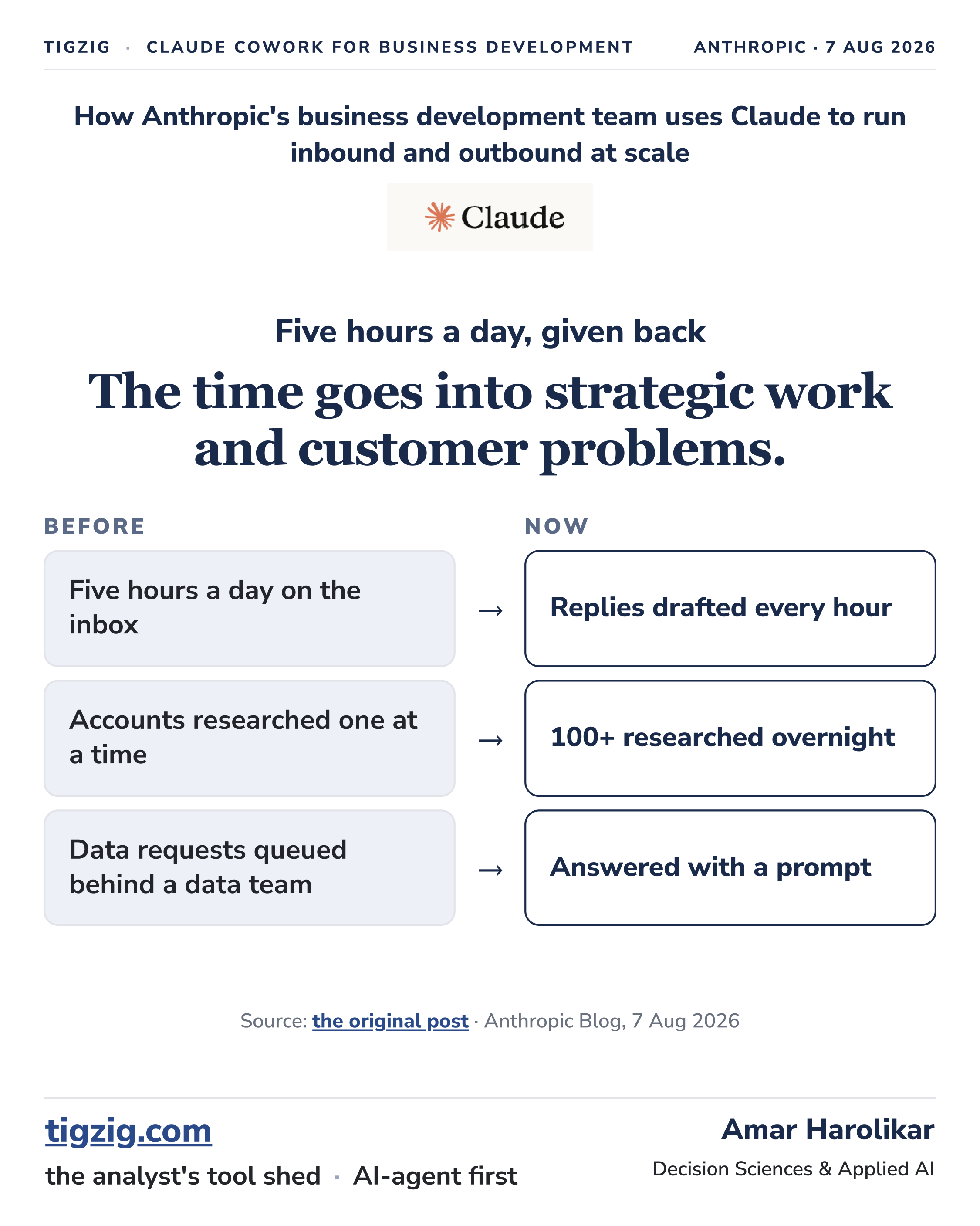
Anthropic published on how their business development team runs inbound and outbound with Claude Cowork. Five hours a day in manual work now goes into strategic work and customer problems. Over a hundred accounts get researched overnight instead of one at a time.
Few things the post calls out:
- Build the knowledge base before the workflows, one document holding the questions the team answers again and again, with the best answers to them.
- Give Claude examples of how the team works, including each rep's own writing style, so a draft sounds like the person sending it.
- Keep a person on every send.
- Write feedback back into the skill, so a correction is recorded once and not repeated.
My work now is more tool development than campaigns, and I work more with Claude Code than Cowork ...but the same things apply - skills, workflows, data, validation and most key of all - accountability. I (and you) need to be able to find when AI make a mistake. The buck stops with us. AI is a tool, with intelligence.
A summary is attached. The original post: How Anthropic's business development team uses Claude to run inbound and outbound at scale
See below for my hub for using AI workers: tigzig.com/claude-for-analytics, including a guide on Claude Cowork. The concept is the same - applies to ChatGPT work too or any other cowork application you might be using.
What comes with your subscription
All Claude and ChatGPT subscriptions (including the 1 year free on Go) comes with Cowork app.
They are desktop apps you install, and they do the work rather than chat.
Run code, pull from CSVs and external APIs, build models, write reports and decks, put together small internal tools and local automations.
On Claude side - the same subscription also gives you Claude in Excel and Claude in PowerPoint. Cowork can edit Excel files, but for real Excel work stick to Claude in Excel, it is far more efficient. Same for PowerPoint. Though for making PDF decks it is more efficient to have Cowork do it in HTML and that output to PDF.. instead of as a PPT.
Want to try it out quick - Claude Cowork / ChatGPT work ..just install the desktop app, hand it my guide, and ask it to walk you through examples. They are excellent tutors, you just have to ask.
Anthropic's other practical guides
Anthropic has shared some great practical guides these last three months.. plain language .. easy to understand and use.
Useful even if you are using a co-work application other than Claude Cowork..
The Cowork product guide. Great starting point if you have the app and are not sure what to do with it. Workflows, habits and plugins, with the deliverable as the outcome.
Why they use HTML instead of Markdown for output. This is a brilliant one.... HTML gives you something you can actually read and share, and it is a small change in how you word the request. And for outside sharing you can have claude size it to a report format and export to a PDF.
Their finance team, on keeping one coherent financial narrative for the CFO and board, and 10 to 20 hours a week freed up.
A sales leader scoring a 4,000 account book overnight, work that used to take cross-functional teams hundreds of hours.
How Anthropic's BD Team Uses Claude Cowork - Summary Deck
Browse the slides or download the PDF
Full Deck Content (Text Format)
Text below was extracted from the source deck. Chart visuals stay in the PDF and as slide images above the post.
Slide 1
TIGZIG · CLAUDE COWORK FOR BUSINESS DEVELOPMENT Anthropic · 7 Aug 2026
How Anthropic's business development team uses Claude to run inbound and outbound at scale
Five hours a day, given back
The time goes into strategic work and customer problems.
BeforeNow
Five hours a day on the inbox
→
Replies drafted every hour
Accounts researched one at a time
→
100+ researched overnight
Data requests queued behind a data team
→
Answered with a prompt
Source: the original post · Anthropic Blog, 7 Aug 2026
the analyst's tool shed · AI-agent first
Amar Harolikar
Decision Sciences & Applied AI
Slide 2
Where this started
"I would spend around 5 hours per day manually responding to inbound interest from prospects .."
Early career, before Anthropic
Lists of hundreds of accounts
Investigate each company
Find the right contacts
Hunt down email addresses
First months at Anthropic
Around five hours a day on the sales inbox
Skills and scheduled tasks in Claude Cowork
What the rep opens now
Customer emails already drafted
Outbound research already compiled
Leads with a first touch written
"A lot of that work is now set up as skills and scheduled tasks in Claude Cowork." All of it runs on connections Claude already has: Gmail, Google Calendar, Salesforce, Gong, Apollo, Common Room and the team's data warehouse.
tigzig.com · analytics, macro signals & AI tools · Amar HarolikarAnthropic BD · 2 / 10
Slide 3
Workflow 1: Inbound
The document behind every reply
What it is
One sales knowledge base
The questions the sales inbox receives most often, collected in a single document alongside the team's best answers to them.
How it was built
Claude helped build it
The rep pointed Claude at the relevant sources of information rather than writing the document out by hand.
Staying current
Stale answers get flagged
Claude continuously checks the document and flags information that might be stale, which users can validate.
Why it comes first
Claude reads this document before drafting any reply the team sends, so it is the source for product facts across the inbound workflow.
"Build the knowledge base before the workflows."
tigzig.com · analytics, macro signals & AI tools · Amar HarolikarAnthropic BD · 3 / 10
Slide 4
Workflow 1: Inbound
"It scans a rep's inbox, finds every thread that the rep needs to answer, and drafts a reply."
- A thin system prompt
Short instructions, with the working knowledge kept outside the prompt.
- The knowledge base as context
The shared question-and-answer document is the source for product facts.
- A voice profile per rep
Built by a voice skill that reads documents, messages and emails the rep has already written, so drafts arrive sounding like the sender.
↓
Runs every hour
Drafted replies wait in the inbox for the rep to read, edit and send.
"Claude can generate drafts, but we still read, edit, and send them."
tigzig.com · analytics, macro signals & AI tools · Amar HarolikarAnthropic BD · 4 / 10
Slide 5
Workflow 1: Inbound
Three more skills the rep built
Watches for no-shows
Watches Gmail and Google Calendar and notifies the rep when a meeting is missed or a prospect goes dark, so the follow-up happens quickly.
Drafts the first touch on new leads
Uses the CRM connector to scan for new leads and draft a personalized first message. Runs through the day so leads are not left waiting.
Pipeline scanner, for keeping Salesforce current
Reads the team's internal guidance on opportunity stages and checks it against what is actually happening in Gmail and Gong. If a customer meeting has moved on to pricing questions, the opportunity should probably progress a stage. Each proposed Salesforce update arrives with the evidence behind it and waits for approval.
The correction gets recorded
When the rep edits or rejects a proposal, the skill records the reason why, so it does not repeat the mistake.
Each of the three ends in something the rep sees: a notification, a draft, or a proposal with its evidence.
tigzig.com · analytics, macro signals & AI tools · Amar HarolikarAnthropic BD · 5 / 10
Slide 6
Workflow 2: Outbound
"On average, I work upwards of a hundred accounts at any given time."
What the skill reads
Salesforce
Apollo and Common Room
Gong
The data warehouse
Outbound guidance
Curated ICP criteria
Overnight scheduled run, across the whole book
Waiting in the morning, per account
A brief on the account
A score
An outbound play
What the run works out
Who the team is already in touch with at each account, how that account uses Claude today, and which signals are relevant, all checked against the team's own outbound guidance and ICP criteria before the rep sees it.
Feedback from each rep goes back into the skill. A small memory file and a ledger keep it from repeating work it has already done.
tigzig.com · analytics, macro signals & AI tools · Amar HarolikarAnthropic BD · 6 / 10
Slide 7
Workflow 2: Outbound
Scoring the discovery call
Discovery calls are the part of the outbound motion the team says it is still working to improve. The skill reads Gong transcripts against the discovery call playbook and builds a scorecard for every call.
Top three things done well on the call
Top three areas to improve
An explicit pass or fail against the team's criteria
One highest-leverage thing to practise next
The call-coach scorecard, from the original post. Demo data, anonymized by Anthropic for publication.
tigzig.com · analytics, macro signals & AI tools · Amar HarolikarAnthropic BD · 7 / 10
Slide 8
One-off requests
Three things that used to queue behind a data team
Request 01
Usage trends for a top account
An account executive asks, and a legible descriptive dashboard is a prompt away.
Request 02
Undiscovered usage sweep
Runs across an AE's full book and returns every account already using the product where no sales opportunity exists yet.
Request 03
Who to invite to the webinar
No skill existed for this one. Claude checked usage data and CRM history across the book, scored each account against the ICP, and flagged the best fits with the contacts worth inviting.
No skill existed for the webinar request, and a prompt was enough. The other two are described as prompts as well, run against usage data and CRM history.
tigzig.com · analytics, macro signals & AI tools · Amar HarolikarAnthropic BD · 8 / 10
Slide 9
Summary & advice
Advice for business development teams
01
Knowledge base first
Collect the questions your team answers repeatedly, and your best answers, into one external-facing document. Point Claude at your product docs and team channels to build the first version.
02
Show it how you work
Messages that worked, your ideal customer profile, and each rep's writing style, so drafts arrive sounding like the person sending them.
03
A person on every send
Claude generates the draft. The rep reads it, edits it, and sends it.
04
Share the skills
The team keeps its most-used skills in a shared plugin, promoting one there once reps use it consistently in daily work.
05
Keep them general
Segments, books and workflows differ across reps, so a shared skill adapts rather than being scoped to one person's routine.
06
Write feedback back in
When you dismiss a hook or correct a draft, have Claude record the reason in the skill so the same mistake does not repeat.
"My best advice? Just start experimenting."
tigzig.com · analytics, macro signals & AI tools · Amar HarolikarAnthropic BD · 9 / 10
Slide 10
My read & sources
My read
My own view. Not from the Anthropic post.
I have spent years on campaign work, mostly outbound and mostly retail banking. My work now is mostly app development, automation and internal tooling, and the same few things decide whether any of it works.
The database first. Accuracy, validation and access control, because everything built on top inherits whatever is wrong down there.
Then the skills. Anything repeatable goes into one, and a skill is really a record of how we do a thing and how we want it done. The AI does not need me to hand it Python, it needs my context, and that sits in the skills and in the knowledge documents next to them.
Then the workflows. Crons and scheduled runs on a server or a local machine, producing triggers, alerts, trackers and scanners, so the work happens without anyone remembering to start it.
And a person still reviews. The pipeline runs on its own, but there is a check at every step that counts. Validation reports come out, I read them, and if something does not look right I go and dig into it. AI or no AI, the buck stops with me.
Source
"How Anthropic's business development team uses Claude to run inbound and outbound at scale" · John Albert, business development at Anthropic. Published 7 August 2026. UI mockups in the original use synthetic data. These pages are a scannable summary of it.
Live macro data, database AI, quants and MCP servers, plus 45 live apps and 200+ build guides: tigzig.com.
the analyst's tool shed · AI-agent first
Amar Harolikar
Decision Sciences & Applied AI
Working on something similar? How I work covers the rates, the availability and what I take on.