Demystifying TIGZIG API Errors: A Practical Guide for MFPRO, TREMOR, and VIGIL Users
Published: July 20, 2026
Quick Resources & Documentation Links:
- For Humans: Read my complete setup guides at the TigZig API & MCP Hub or visit my dedicated Indian Mutual Funds Pillar Hub.
- For AI Agents: Point your agents directly to my machine-readable API Catalog (RFC 9727) or the central service index at api.tigzig.com.
I run open, keyless APIs for financial data because I want to make integration as fast and painless as possible. If you are calling these APIs, you don't even have to write the queries yourself. This site is built to be completely AI-agent friendly. You can simply copy this entire page (using the copy button in my blog layout) and hand it over to your AI agent (like Gemini or Claude). They can write the code, execute the calls, and troubleshoot any errors for you.
If you are using MFPRO - my flagship mutual fund API - or combining it with TREMOR (for live market tracking) and VIGIL (for India corporate red flags and alerts), you are working with an incredibly powerful dataset. But a powerful dataset is only as good as the calls you make to retrieve it.
I constantly monitor my server logs to look for ways to improve the API surface. Analyzing these patterns has helped me squash backend bugs, improve performance, and add auto-correction rules (such as self-healing parameter encoding on my mutual fund endpoint). However, the logs also show a large volume of common user-side slips that developers repeatedly encounter, alongside common misunderstandings of what an "empty" response actually means (where the API is working perfectly, but the data is naturally blank).
This guide is designed to explain the mechanics behind these behaviors in plain English, so you can build more resilient code and stop wasting time debugging.
A link that picked up extra characters on the way
The single most common failure in my logs is punctuation or extra characters tagging along at the end of a URL.
1. Punctuation Stuck to URLs (The Copy-Paste Trap)
Copy a link out of a sentence in an email, blog, or chat, and the trailing period or comma often comes with it. If the server sees a dot at the end, it looks for an endpoint named exactly that, fails, and returns a 404. Look at the very end of your link in your code and delete anything that does not belong.
# Incorrect URL with trailing period:
https://api.tigzig.com/v1/openapi.json.

# Correct URL:
https://api.tigzig.com/v1/openapi.json
2. The Stray HTML Entity (&)
If you copy a URL from a web page's source code instead of the raw text underneath, an ampersand might be represented as &. The amp; tags along as a junk parameter name and breaks the call. Ensure your code is using raw, clean & symbols.
The characters that join parameters got encoded too
A URL uses & and = to join parameters together. If your code library encodes these characters, the joiners break.
3. Glued Parameters and Encoding Errors
If your code library over-encodes characters, & becomes %26 and = becomes %3D. The server sees one long, meaningless parameter and rejects it. While I recently built an auto-correction salvage for this on the MF NAV endpoint (which now quietly works), other endpoints like TREMOR, VIGIL, and Yahoo Finance will fail. Make sure your client encodes only the parameter values, never the joining symbols themselves.
# Incorrect (over-encoded parameters on TREMOR):
https://api.tigzig.com/v1/series?ids=us_treasury_10y_yield%26from%3D2024-01-01

# Correct:
https://api.tigzig.com/v1/series?ids=us_treasury_10y_yield&from=2024-01-01
Something the call needs is missing, or literally says "undefined"
Sometimes the URL structure is fine, but the variables inside are incomplete or uninitialized.
4. Missing Crucial Inputs
Endpoints like comparisons or historical charts need a date window to work. If you query /compare?symbols=AAPL without start and end dates, the API has no mathematical range to calculate. It returns a 422 error telling you exactly which fields are missing. Always ensure you provide all required parameters.
5. The JavaScript "Undefined" Trap
If your frontend or backend builds a URL using a variable that hasn't loaded yet, JavaScript will write the literal text "undefined" or "null" into the URL string. The API receives this text as your fund or ticker identifier and fails. If you see these words in your failed URL logs, the bug is always in your calling application - check that your variables are fully loaded before firing the API request.
Right idea, wrong shape
A handful of failures come from a request that is close, but shaped wrong for the target endpoint.
6. GET vs. POST Endpoints
Endpoints that accept input files or analyze text are configured as POST-only. If you paste a POST URL directly into a browser address bar, the browser will attempt a GET request and get a "Method Not Allowed" error. Use programmatic tools or clients like curl when sending content payloads.
7. Folder-Style Path Guessing
Developers sometimes guess at path combinations that are not supported. While my API endpoints are flexible, putting variables or resource categories in place of static path configurations will result in a 400 Bad Request error. Keep query variables inside parameters after the ? symbol.
# Incorrect (invalid folder path guess):
https://api.tigzig.com/mf/v1/nav/scheme?category=Equity

# Correct:
https://api.tigzig.com/mf/v1/nav?scheme=147704
8. Comma-Separated Inputs on a Single-Item Parameter
Some endpoints accept a comma-separated list of identifiers; others are built to fetch exactly one asset at a time. If you pass a comma list to a parameter that only expects one, the server reads the whole thing as a single invalid identifier and returns a 400. Whether a parameter takes one value or many is on each API's own docs page.
On the MF NAV API this now just works either way. scheme= and schemes= (and isin= / isins=) all accept one identifier or several, comma-separated, up to 50 in a call:
# Both work on MF NAV - one identifier or a comma list, up to 50:
https://api.tigzig.com/mf/v1/nav?scheme=127042,119723
https://api.tigzig.com/mf/v1/nav?schemes=127042,119723
A single-identifier call returns that scheme's rows directly; a multi-identifier call wraps the results under schemes with a count, and any identifier that is unknown or malformed comes back in a not_found list rather than failing the whole call. Only a list where every entry is invalid returns a 400.
Please check each API's own docs page for whether a parameter takes one value or a list, and what the batch limit is. Firing hundreds of single calls is slower for you and it is the fastest way to hit the rate limit in item 21.
9. Asking for the Wrong Data Format
I offer files in high-performance formats like Parquet, but only for my bulk, daily database downloads. If you try to append format=parquet to a live, real-time query endpoint, the API will fail because it does not support streaming that format dynamically. Stick to JSON for real-time queries.
Machine addresses are not web pages
More of what I run now is MCP, meant for AI agents rather than browsers, and that brings its own two traps.
10. Opening MCP Links in the Browser
If you paste my /mcp server endpoint directly into your browser, you will get a 406 Not Acceptable error. MCP uses Streamable HTTP, which requires an Accept: text/event-stream header that browsers do not send. Do not open these URLs in browsers - point your MCP client configuration (in Claude, Cursor, or other agents) directly at the URL. Details on transport configuration are available on the API & MCP Hub.
11. Using Deprecated Paths
I have unified my MCP services under a single canonical path: /mcp. If you are still using legacy SSE paths like /sse or /v1/mcp/sse, you will receive a 405 Method Not Allowed. Update your AI agent configuration files to use /mcp. AI agents can scan the server configuration endpoints listed in the MCP Server Directory to inspect the active URLs.
Borrowing one app's habits on another
My different apps sometimes use slightly different parameter names for similar ideas, which causes confusion.
12. Parameter Naming Differences
A URL that works perfectly on one can fail on another purely because the name is different. I have watched someone try start= and end=, a common convention elsewhere, get rejected because this particular API uses since= and to=, try a third convention as a "fix", and fail again. Open that specific API's own docs page, copying the exact parameter names from there rather than reusing the shape remembered from a different tool.
An identifier that looks right but is not
This shows up most on MFPRO, where the data requirements from the AMFI backend are specific.
13. The ISIN Mismatch
MFPRO fully supports ISIN codes. However, every fund has multiple variants (Direct vs. Regular plans, Growth vs. Income Distribution cum Capital Withdrawal options). Each variant has its own distinct ISIN. The ISIN listed on your broker statement might be a specific transaction variant that AMFI's official NAV database does not track. If you get a "not found" error on a valid ISIN, it means the code is real, but it is not the variant AMFI publishes. Use my search endpoint to search for the fund by name; this will give you the AMFI-supported ISIN or scheme code. You can learn more about how I reconcile fund parameters in the official Mutual Fund NAV API Guide or explore metrics interactively on the MF Pro Docs.
14. Model-Hallucinated Codes
When developers let AI assistants write their code, the models often hallucinate scheme codes (like 99999). They look correct, but they do not exist. The API returns a structured 404 error with a clear message:
{
  "detail": "No NAV data found for identifier 99999.",
  "error": {
    "code": "NOT_FOUND",
    "message": "No NAV data found for identifier 99999.",
    "docs_url": "https://api.tigzig.com/mf/v1/docs",
    "hint": "No scheme with identifier 99999 exists. Look up the code by fund name: https://api.tigzig.com/mf/v1/search?q=<fund name>"
  },
  "help": {
    "catalog": "https://api.tigzig.com/mf/v1/",
    "docs": "https://www.tigzig.com/apis/mf-nav"
  }
}
To prevent this, never let a model fill in an identifier from memory. Always resolve fund names to codes dynamically using my search endpoint, and pass that resolved ID.
Wrong market, wrong spelling
Our Yahoo Finance tools read Yahoo's own spelling for each market, and it is not always what you would guess.
15. Market Suffixes on Stock Tickers
My stock endpoints utilize Yahoo Finance symbols, which require specific suffixes for international markets. Querying RELIANCE for the Indian stock, GOLD for the commodity, or NIFTY for the index will return empty results. To get data, you must use their exact market tickers: RELIANCE.NS (NSE suffix), GC=F (futures contract code), and ^NSEI (caret symbol for indexes). If a symbol is not certain, look it up on finance.yahoo.com.
When empty is the honest answer, not a failure
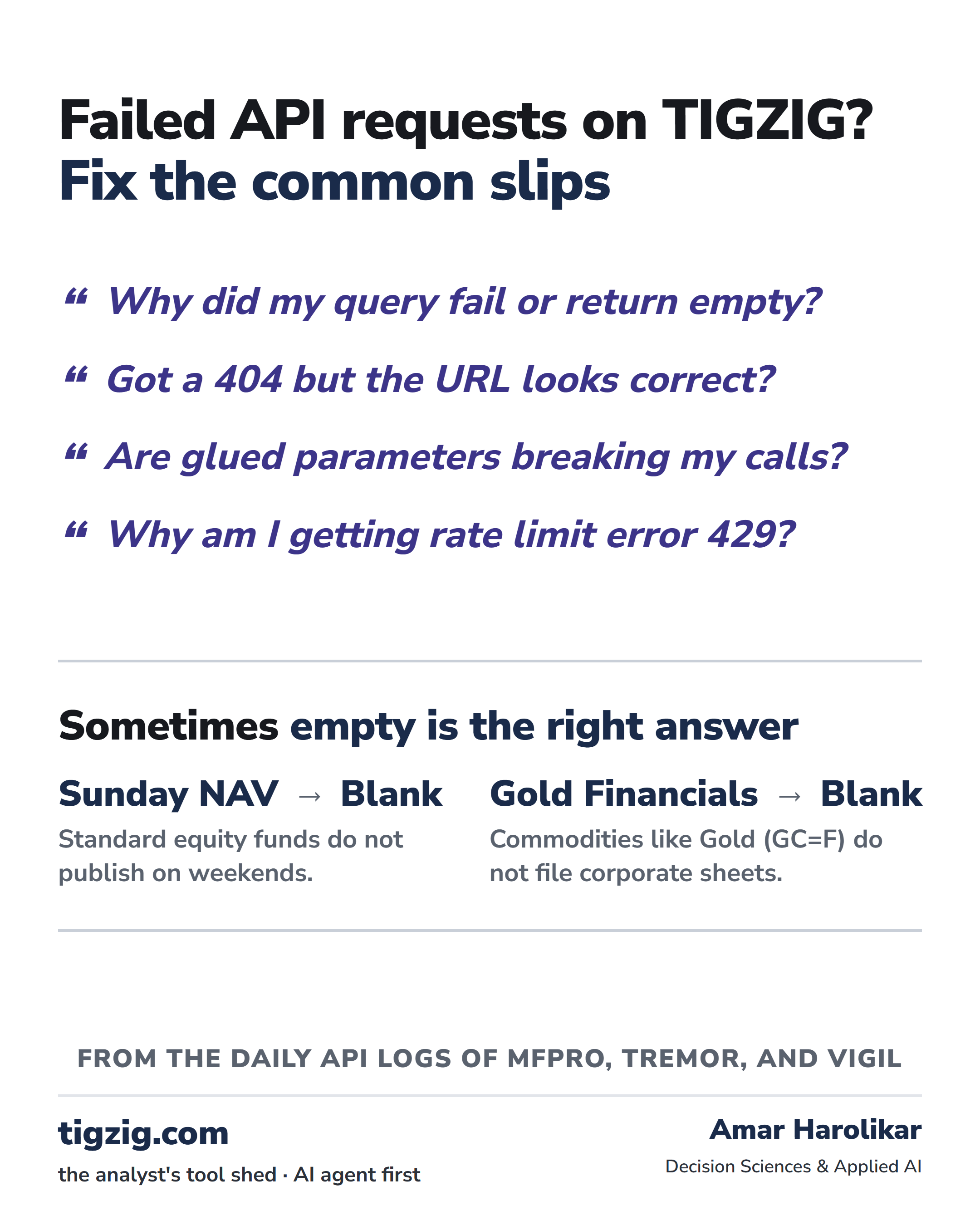
This is the category worth understanding most carefully, because it keeps growing as my data gets more complete. An empty result is not automatically a failure. Sometimes it is the data telling the truth.
16. Requesting Financials on Non-Corporate Assets
Commodities like gold, cryptocurrencies like Bitcoin, and indices like the Nifty 50 do not file financial statements (such as balance sheets or income statements). If you call my fundamentals or balance sheet endpoints on these tickers, the API will return an empty response. This is the correct response - there are no financial statements to return. Only call fundamentals on actual corporate equities.
17. Empty Data on Inactive Stocks or Corporate Actions
When querying corporate actions (like historical dividends) for a specific stock ticker, you might receive a blank list or empty fields. This occurs if you are querying a company that has never paid a dividend (such as a young growth stock) or a small-cap stock that has no research coverage from major analysts. The API request itself succeeded (returning a 200 OK status), but because there is no underlying data to return, it comes back blank. This is normal and represents the accurate, data-backed answer, not a system failure.
18. The July 2026 Backfill (Defunct and Matured Schemes)
With my recent July 2026 database update, MFPRO now tracks roughly 38,000+ schemes spanning April 2006 onward (about 20 years of history). Of these, about 8,600 schemes are active today, and the rest (about 29,466) are matured or merged defunct funds. This is incredibly valuable for professional analysts because it eliminates "survivorship bias" from historical backtests.
However, it also introduces a common misunderstanding: if you query a fund that matured in 2015 and ask for NAV data from 2025, the API will return an empty response. The fund is real, the API is running, but there is simply no data for those dates because the fund was dead. To know when a scheme was actually active, inspect the range of the historical NAV response itself, where the returned data array runs between the first and last published NAV dates for that fund.
19. Navigating Publishing Windows (Weekends and Holiday Gaps)
Mutual fund companies publish their daily NAVs in the evening on business days. For standard equity and hybrid mutual funds, AMFI does not publish NAVs on weekends or market holidays, meaning queries for these dates will return an empty response. However, liquid and overnight funds (which accrue interest daily) do publish NAVs on Saturdays and Sundays. If your application queries a standard equity fund for a Sunday, or checks for today's NAV before the official evening publication IST, getting an empty response is expected and normal.
How to handle this: Daily scrapers should check if they are querying a weekend-active overnight fund or a standard business-day fund, and schedule general updates for late evening IST.
Asking for too many at once
Some of the heavier endpoints are paced to protect backend stability, which can lead to timeout errors.
20. Handling API Timeouts in Large Batches
Fetching heavy financial data or historical corporate actions for a large list of tickers can be slow, as my endpoints pace requests to respect upstream limits. If you request a batch of 15 or 20 stock tickers in a single call, the request might take over a minute. If your client library has a default timeout of 5 or 10 seconds, it will abort the connection. When retrieving deep financial metrics, query in small groups and set your client timeout to a generous 1 or 2 minutes.
21. Calling Too Fast (the 429 Error)
My APIs are open and free, but each one has a per-IP rate limit so one caller cannot crowd out everyone else. The limits are generous. On the MF NAV API, for example, you get 300 requests per minute per IP on the data endpoints (nav, search, scheme lookup, and the downloads manifest). The one exception is the full-database bulk download, which is 10 per minute per IP, because each of those is a large file.
If you go over the limit, the API returns a 429 Too Many Requests instead of data. It is not a ban and nothing is broken. It just means you sent more calls in that minute than the limit allows. The response tells you how to recover: a 429 carries a Retry-After value (how many seconds to wait), and every response, not only the 429, carries an X-RateLimit-Remaining header so you can see how much budget you have left before you hit the wall.
What to do: space your calls out, or pause for the seconds given in Retry-After and then continue. If you are pulling a lot of data, the bulk download file is almost always the better tool than firing hundreds of single calls. Each API lists its own exact limit on its docs page in the TigZig API & MCP Hub, so check there for the number that applies to the endpoint you are using.
Conclusion: Fast Troubleshooting with Your AI Agent
If an API call fails or returns empty data, don't waste time trying to troubleshoot it manually. I recommend two simple steps:
- Verify the request structure and parameter names against the official documentation links listed down below.
- Even better: copy this entire page using the copy button in the blog header and hand it over directly to your AI agent (like Gemini or Claude). They will immediately identify the syntax issue, rewrite the URL correctly, and generate the correct query structure for you.
Reference Links & Official Documentation
For Humans (Web Guides & Dashboards)
- API & MCP Hub: www.tigzig.com/apis - Setup instructions and documentation for all endpoints (VIGIL, TREMOR, MF NAV).
- Indian Mutual Funds Pillar: www.tigzig.com/mutual-funds - Home base for fund benchmarking, rolling returns, and analytics methodology.
- Mutual Fund NAV API Guide: www.tigzig.com/post/free-mutual-fund-nav-api-india - Deep dive into querying mutual fund records.
- MF Pro Documentation & Schema: go to MF Pro -> docs
- Vigil Red Flags Documentation: go to Vigil -> docs
- MFPRO Documentation Announcement: www.tigzig.com/post/mfpro-data-dictionary-docs-jul2026 - Detailed post explaining the data structure.
For AI Agents (Raw Markdown Schemas & Catalogs)
- MF Pro Raw Markdown Data Dictionary: mfpro.tigzig.com/md/data-dictionary.md - Table schemas and data mappings in raw markdown.
- Vigil Raw Markdown Docs: www.tigzig.com/ai/apps/vigil.md - Table and field validations for India corporate alerts in raw markdown.
- API Catalog (RFC 9727): api.tigzig.com/.well-known/api-catalog - Machine links for database bulk downloads and endpoints.
- MCP Server Registry: www.tigzig.com/.well-known/mcp/servers.json - Machine-readable configuration for all active MCP endpoints.
- Unified Data API Base: api.tigzig.com - JSON entrypoint directory.
- LLM Site Index: www.tigzig.com/llms.txt - Direct links to all app guides and blog posts in markdown format.
Working on something similar? How I work covers the rates, the availability and what I take on.