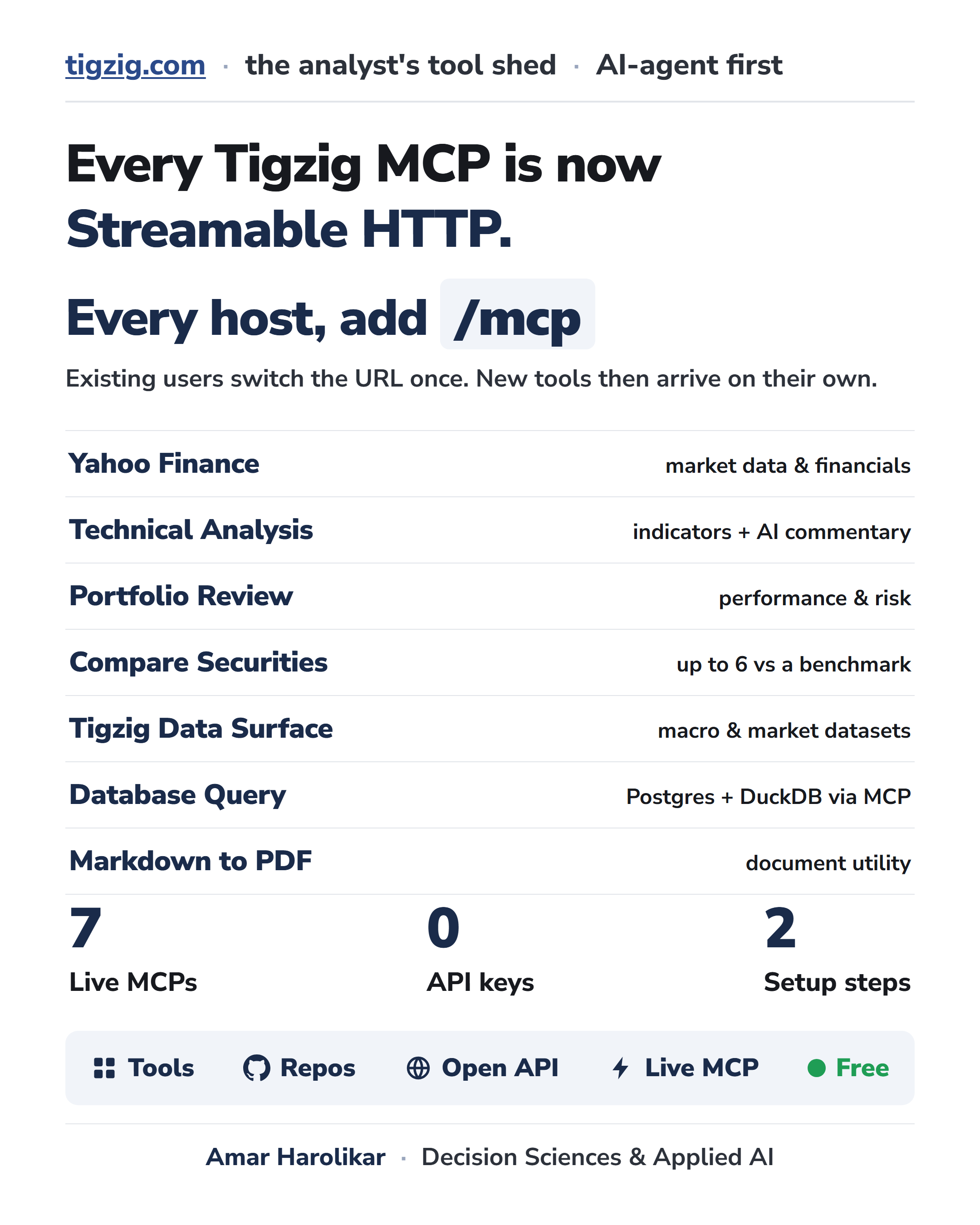
Every Tigzig MCP is now Streamable HTTP. Requesting existing users from LM Studio, ChatGPT, Claude etc to make a one time change if you have not already done so
Published: July 23, 2026
I finished moving all my MCP servers to Streamable HTTP, which is the current transport standard that Claude, ChatGPT, LM Studio and other clients use today. It's been running alongside the earlier SSE for the past month or two. I have tried my best to maintain backwards compatibility with old URL's but suggest to make a one time connection change if you are still on the old one.
For all new users - you should use the Streamable HTTP URL, because that is where all the new tools and improvements would be implemented.
As I add new tools or improve the backends, you get those updates automatically, and you never have to touch the configuration URL again.
Every MCP now lives at its host address plus /mcp.
And as a quick aside, it is great to see the real logs here, because I can watch agents connecting from Claude, ChatGPT, and LM Studio daily, and it is clear that people are actually using these setups.
Backward Compatibility
I tried to make this migration as clean as possible, and I am keeping backward compatibility on two fronts.
First is the transport. Streamable HTTP is the new standard, but the older SSE connection remains mounted and active alongside it, so an existing SSE setup should not break. However keep in mind that the SSE URLs are also in the process of deprecation and would be phased out soon.
Second is the old addresses. I am keeping them running where possible, so setups that were already working can keep working. I say where possible because standardizing the endpoints did move a few paths. If one of your setups is not connecting, you should just grab the current URL from the list and paste it in, rather than trying to debug the old path. The docs are always the source of truth for the live endpoints.
A Quick Word on Connection Types
When you add one of these servers to Claude, ChatGPT, LM Studio etc, the setup screen will ask you to select a connection type before pasting the URL, and that part can be confusing. There are only two details you need to know.
First, these are all remote servers. They run on my machines rather than your computer, and you reach them over the internet. There is nothing to install locally, so if your tool asks you to choose between a local command and a remote URL, you want the remote URL option.
Second, for a remote connection, your app will offer you two styles, which are SSE and Streamable HTTP. You should select Streamable HTTP, or simply HTTP if that is how it is labeled in your client, and then paste the URL from the list. The setup is just those two steps.
Why use Streamable HTTP instead of SSE? The MCP ecosystem has settled on Streamable HTTP as the transport standard, and the protocol is being evolved rather than replaced. SSE was the earlier style, and while I am keeping it mounted for the time being, the wider community is moving away from it, so there is no reason to use it for new setups.
The MCP Servers
All of these servers are live and configured with Streamable HTTP:
Yahoo Finance: https://yfin-h.tigzig.com/mcp Stock market data, company financials, historical prices, analyst estimates, and ownership. Covers global and Indian tickers.
Technical Analysis: https://ta.tigzig.com/mcp Technical analysis indicators for any ticker, with automated AI commentary.
Portfolio Review: https://ffn.tigzig.com/mcp Portfolio performance and risk metrics built on the open-source ffn library.
Compare Securities (QRep): https://qrep-api.tigzig.com/mcp Side-by-side comparison of up to six securities against a benchmark, using QuantStats metrics.
Tigzig Data Surface: https://api.tigzig.com/mcp Live macro and market datasets from FRED, RBI, ECB, OECD, and MoSPI.
Cricket Database: https://db-mcp.tigzig.com/mcp Read-only SQL queries over ball-by-ball T20 and ODI matches from 2013 to 2025.
Markdown to PDF: https://mdtopdf.tigzig.com/mcp A utility that converts raw markdown into a formatted PDF document.
One note: pasting an /mcp address into a browser will show a 406 Not Acceptable error. That is expected, these are machine endpoints for MCP clients, not web pages. Point your MCP client at them, not your browser.
Skipped the MCP?
If you do not want to connect to a third-party MCP server, you have two simple alternatives:
- Every MCP is just a wrapper around an open API. You can skip the MCP layer entirely and call the APIs directly using standard HTTP requests.
- Because the APIs are open, you can easily wrap your own MCP server around them.
All of these endpoints are completely open and require no API keys or signup. There is a public IP rate limit to prevent abuse, and you can find the specific limits documented on each individual API page. That is the entire setup.
Other Open Services
I also updated and cleaned the documentation across all these endpoints. If you want to point an AI agent or a developer tool at these resources, you can give it the machine-readable directory files and it will map the tools automatically.
For your AI agents: point them at https://api.tigzig.com. That one address lists every API and every MCP server, with a machine-readable catalog and an agent guide. They will find their way from there.
If you'd like to browse yourself, then head over to: https://www.tigzig.com/apis
Tigzig Data Surface, the same server listed in the MCP section above, is a single public read-only API that exposes ~330 curated macro, credit, valuation, insurance, India, global, markets and FX indicators across 8 categories, sourced from 17+ publishers. No authentication. It is the same data that backs the TREMOR app. https://api.tigzig.com/mcp
India Mutual Fund NAV API. A free, open AMFI mutual fund NAV API for India - no key, no sign-up. AMFI publishes NAVs as a giant daily text dump. The API lets you download the entire NAV history - every scheme, every day - in a single call. Or you can pull one scheme at a time, or hit the batch endpoint to download up to 50 schemes in a batch. https://api.tigzig.com/mf/v1/
Vigil, which is my India corporate red-flags tracker, is also open at https://api.tigzig.com/vigil/v1/
If your app is still returning an error, especially if you are using the API directly, I wrote a short guide detailing the most common setup mistakes .. it is usually one of those simple issues, and you can read the troubleshooting steps here:
https://www.tigzig.com/post/tigzig-api-errors-practical-guide-jul2026
Beyond the MCP servers: just ask your AI
You do not have to dig through the whole site. Beyond the MCP servers there are 300+ assets on the site, tools, guides and walkthroughs, and it is all built so your own AI can find the right one.
Just ask your ChatGPT, Gemini or Claude. A few prompts to try:
- "On tigzig.com, which tool compares several securities on price performance and risk against a benchmark, and is it available as an MCP server? Give me the URL."
- "I would rather not use Tigzig's hosted MCP, I want to run my own with Google OAuth in front of it. Does tigzig.com have an open API and any guides I can use to build my own MCP around it?"
- "My Tigzig MCP is erroring out in my client. Go to tigzig.com, check the MCP and API docs, and tell me the likely fix."
- "I work in Excel and want to run Python there. What tigzig.com guides cover Python in Excel, and which tool should I start with? And any guides to connect to my database directly from Excel also?"
One more angle: AI workers, not just AI chatters
One more angle, and it goes beyond MCP.
These tools have quietly turned into AI workers, not just AI chatters. In Claude that is Cowork, in ChatGPT it is the work and data-analysis mode, and the AI coders like Claude Code, Codex and Cursor go further still.
AI Workers can connect to your systems, pull data, run models, and build the actual output, an Excel model, a PDF report, an HTML dashboard.
If you are new to this, the Cowork style worker is the simpler place to start, and the coders are more powerful once you want full builds.
I wrote up the three tiers and which one to reach for when: https://www.tigzig.com/post/ai-worker-not-ai-chatter-jul2026
A power tip: you do not always need an MCP at all. With just a free FRED API key, your AI worker can reach into all 845,000 FRED economic series directly, no plugin, no install, then chart it and drop it into Excel or a report: https://www.tigzig.com/post/fred-your-ai-pulls-directly-jul2026
Cricket data from Cricsheet, published under the Open Data Commons Attribution License 1.0 (ODC-BY).
Working on something similar? How I work covers the rates, the availability and what I take on.