MCP Guide for Claude in Excel - and any MCP client
Published: March 11, 2026
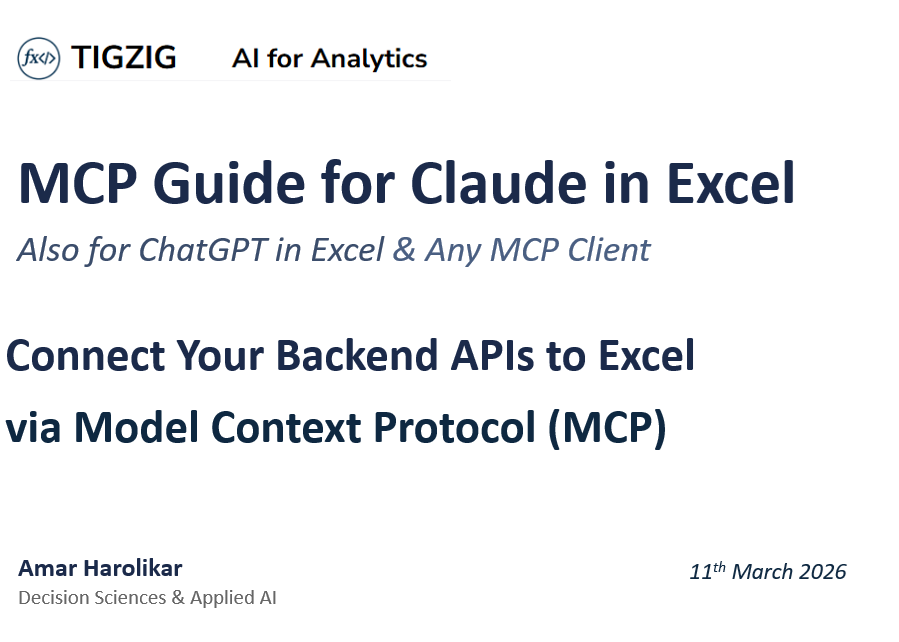
35 slides. Full walkthrough from what MCP actually is to building, securing, and connecting your own MCP server to Excel.
Covers:
- What MCP is vs a regular API
- Schema documentation strategies
- What people consistently get wrong about MCP servers
- Security for MCP
- 5 live open-source MCP servers
- Live examples covering: Connect to PostgreSQL / DuckDB / PDF & HTML files / Python processing in backends
The security section is the part I'd pay great attention to. Basic build is easy - securing it is harder. I realized it the painful way.
Also in the guide - honest trade-offs. MCP adds token overhead, persistent connections, context bloat. Where you have a choice, direct API calls are still more efficient. But inside Excel you don't have a choice, so here's how to do it properly.
Full guide as PDF and Markdown at the link. Markdown version is there specifically so you can paste it to your AI coder and ask questions directly.
MCP Guide for Claude in Excel
Browse the slides or download the PDF
More Resources and Guides
- Blog: tigzig.com/blog
- Security: tigzig.com/security-checklist
- MCP Servers: tigzig.com/mcp-landing
Cricket data from Cricsheet, published under the Open Data Commons Attribution License 1.0 (ODC-BY).
Full Deck Content (Text Format)
Text below was extracted from the source deck. Chart visuals stay in the PDF and as slide images above the post.
MCP Guide for Claude in Excel
Also for ChatGPT in Excel & Any MCP Client
Connect Your Backend APIs to Excel
via Model Context Protocol (MCP)
Amar Harolikar
Decision Sciences & Applied AI
What is MCP?
Model Context Protocol (MCP) is an open standard that creates a persistent connection between an AI client and a backend server. It lets Claude in Excel talk directly to your APIs, databases, and processing systems - all through natural language.
User in
Excel
Claude AI
Orchestrator
MCP
Protocol
Your
Backend
DB / API
Python
Key Insight: Excel becomes a ready-to-use front-end container. You control access, processing, and data entirely from the backend.
Natural language in → SQL / API calls → Results back in Excel
What is an API? The Basics
Think of an API as a service counter. You go to a specific window, hand in your request in a set format, and get a response back in a set format. That is all an API is.
URL
The address
Endpoint
Which counter
Parameters
Your request
Response
What you get back
Example
URL: ta.tigzig.com (the building address)
Endpoint: /api/analyze (which counter to go to)
Parameters: symbol=AAPL, start_date, end_date (your request form)
Response: A technical analysis report (PDF/HTML)
Under the hood, this is an HTTP request (GET or POST) - your browser does these every time you visit a website.
From API to MCP - What Changes?
APIs have been around for decades. MCP is a new layer on top. Here is how they relate.
Regular API
Like making a phone call. You dial, ask your question, get an answer, hang up. Next time, you dial again.
Each request is independent.
MCP
Like a hotline that is always on. The connection stays open. You can see what is available and keep talking without redialling.
Persistent, always-on connection.
How they are built: FastAPI (Python) or Express (JavaScript) create regular API endpoints. MCP is then mounted on top of these same endpoints, adding the persistent connection layer.
What else: With MCP, the AI client (Claude) can see all available tools upfront and maintain a continuous conversation with the backend. With a regular API, each call is a separate transaction.
What MCP in Excel Unlocks for You
Excel as Universal Front-End
Use Excel as a ready-to-use container for any backend service. No custom UI needed - your users already know Excel.
Natural Language Access
Users ask in plain English. Claude translates to API calls, SQL queries, or processing commands automatically.
Backend-Controlled Security
Access controls, tokens, rate limits - all managed server-side. The backend decides who sees what.
Works With Any API
Databases, web services, Python processing - anything with an API endpoint can become an MCP server.
What Can You Do With MCP?
01 Query Databases
Run SQL against Postgres, DuckDB, or any database. Results in Excel.
02 Generate Reports
Trigger PDF/HTML report generation. Backend processes, returns URL.
03 Pull Web Data
Fetch from Yahoo Finance, APIs, web services into your spreadsheet.
04 Run Analytics
Execute Python processing, statistical models, ML on the backend.
05 Push Data
Write to external systems, trigger workflows, update records via API.
06 Multi-Step Automations
Chain operations: pull, process, validate, present - all from one prompt.
The Big Picture
Builds the MCP backend. Your users get Excel. MCP connects them.
Build MCP
Builds the FastAPI backend. Mounts MCP endpoints. Controls access and security.
MCP Layer
The protocol bridge. Claude reads tool descriptions and understands what the backend offers.
Excel User
Asks in natural language. Gets data, reports, analytics. No coding needed.
What This Means for Your Organization
A controlled, secure interface between your data systems and business users. No custom front-end needed.
Architecture: How It All Connects
Excel
User Interface
Claude AI
Orchestrator
MCP Protocol
Persistent Conn.
FastAPI
Your Server
Backend
DB / APIs / Python
What happens at each step:
- User asks in natural language in Excel
"Show me top 10 customers by revenue"
- Claude reads MCP tool descriptions
Understands schema, columns, data semantics
- Claude calls the right MCP tool
Translates to SQL, API call, or processing request
- Request hits your FastAPI server
Validates, authenticates, rate-limits
- Backend processes the request
Runs query, Python processing, or generates report
- Results flow back to Excel
Data into cells, URLs shared, charts built
How to Connect: 3 Simple Steps
01 Build & Deploy Your MCP Server
Use FastAPI + fastapi-mcp. Write your logic. Mount endpoints as MCP tools.
Deploy to Render, Railway, or your own infrastructure.
02 Connect in Claude AI Settings
Settings → Connectors → Custom Connectors. Paste your MCP server URL. Save.
Claude in Excel and PowerPoint will both see it automatically.
03 Start Asking in Natural Language
Open Claude in Excel. Ask your question. Claude calls the right backend.
"Show top 20 customers by revenue" → SQL → Results in Excel.
For MCP Connected to Databases
How Does Claude Know Your Data?
How Does Claude Know Your Data?
Your approach to schema documentation should scale with complexity - from inline docstrings to intelligent search layers.
Simple Schema
Inline docstring in MCP tool. Table names, columns, types. Data semantics & meaning. Rules, quirks, example queries.
Best for 1–5 table setups
Two-Tier Schema
Summary docstring for all tables. Detail endpoint per table. get_schema(table_name) on call. Business rules & relationships.
Scales to 10–100 tables
Key Principle
Match your schema strategy to your scale. Start simple, add search layers only when context bloat demands it.
Schema Storage & Search Options
Match your approach to your scale. Table limits are directional. It all depends on complexity of tables and your use case. There are trade-off with each option.
Scale | Where Schema Lives | Search Mechanism | What to Store | Infra Needed
1–5 tables | Inline docstring in MCP tool | Full schema in context - no search needed | Table names, columns, types, rules | None
10–50 tables | Summary docstring + get_schema(table) endpoint | LLM calls get_schema() on demand per table | One-liner per table + full detail on demand | None
50–200 tables | .txt files OR metadata table in Postgres | Keyword search via Postgres BM25 | Purpose, column meanings, aliases, sample values, relationships | Same DB
200–500 tables | Metadata table in Postgres + pgvector column | Hybrid: BM25 keyword + vector similarity (pgvector) | Above + embeddings auto-generated from rich descriptions | Postgres + pgvector
500+ tables | Dedicated vector store (Chroma, Qdrant, Milvus) | RAG: semantic retrieval + re-ranking | Rich metadata + embeddings. One chunk = one table. | Separate vector DB
Practical Issues : Schemas & Tool Definitions
Regardless of scale, these fundamentals decide whether your setup actually works.
Garbage In, Garbage Out
If your schema has only column names and data types with no descriptions, no amount of FTS5, BM25, or RAG will save you. The search has nothing meaningful to work with.
Metadata Quality Is Everything
Each table needs plain-English purpose, column meanings, business aliases, sample values, and how it is used - not just what it contains. Auto-generate first drafts with an LLM if descriptions don’t exist.
RAG Is a Last Resort
RAG needs careful chunking, embedding calibration, and ongoing tuning. Try FTS5/BM25 keyword search first - it works with zero ML infrastructure.
Search Infra Is the Easy Part
Writing or generating quality metadata for hundreds of tables is the real effort. Most teams underestimate this and over-engineer the search layer instead.
Build Your Own MCP Server
From concept to a live, production-ready MCP server
What’s Actually Happening Under the Hood
An MCP server is just a Python app deployed on the internet. No magic black box. Here's the flow.
AI Agent
Claude, Cursor, Windsurf, etc.
MCP Protocol
SSE / HTTP Transport
Your Python Code
FastAPI + fastapi-mcp
Your Backend
Databases, APIs, Files, anything...
What makes it "MCP" vs. a regular API?
Regular API: Developer writes client code, handles auth, parses JSON responses manually.
MCP server: The AI agent reads your docstrings, understands parameters, and calls your tools automatically. Zero client-side wiring.
Bottom line: You share one URL. The AI agent figures out the rest.
From Zero to a Live MCP Server
1
Write Your Python Logic
Your core functionality - whatever your server does. Querying databases, generating reports, calling external APIs, processing files, running calculations. Just normal Python, no MCP-specific code.
2
Wrap It in FastAPI Endpoints
Each endpoint becomes one tool the AI agent can call. Add detailed docstrings - the AI reads these to understand what each tool does. Use Pydantic models so the agent sends correctly structured parameters.
3
Mount with fastapi-mcp
Two lines of code: import FastApiMCP, then mount it on your app. That’s it - your regular FastAPI endpoints are now MCP tools. It creates an /mcp endpoint that speaks the MCP protocol.
4
Add Security
Rate limiting (SlowAPI) to prevent abuse. Input validation for all user inputs. Optional OAuth (Auth0) & RBAC for private data Edge protection (Cloudflare) for WAF, bot detection, and DDoS mitigation.
5
Deploy and Share
Deploy anywhere Python runs - Render, Railway, Coolify, your own VPS, or Docker. It’s a single Python file + requirements.txt. Share the URL and any MCP-compatible AI agent can connect immediately.
What People Get Wrong About MCP Servers
“I need a special MCP framework”
No. FastAPI + fastapi-mcp. Two pip install commands. You write normal Python, mount it, done.
“MCP is only for databases”
Any Python function can become an MCP tool - PDF generation, stock analysis, web scraping, sending emails, running simulations. Anything.
“The AI agent needs special config”
Point it at the URL. It reads the tool list and docstrings automatically. Zero client-side code or configuration needed.
“It’s complicated to secure”
Same security as any API - rate limiting, input validation, authentication. Well-understood patterns that have existed for years.
“I need expensive infrastructure”
Single Python file. Runs on free cloud tiers or a $5/month VPS. My Databases MCP handles databases, 12-layer validation, OAuth - all under 1000 lines … hosted alongwith other 30+ backends….but it depends scale of your operations. Test what works.
Practical Considerations
Real-world challenges when connecting Claude to your data - and how to solve them.
Data Size Limits
Issue: Claude tries to pull everything at once, then write thousands of cells. Context bloats, writing fails.
Fix: Cap at 500–1000 rows server-side. Write in batches of 100. Use TSV format (~70% smaller).
Context Window Bloat
Issue: Too many MCP endpoints with heavy docs eat up the context window. Performance degrades.
Fix: Be selective. Expose only what users need. Keep docstrings concise. Group related functions.
Key Takeaway
Design your MCP server for the real world: cap data sizes, manage context, and invest in great docstrings.
Practical Considerations
More things to watch for when building and deploying your MCP server.
URL Handling
Issue: Claude can share URLs from the backend but cannot fetch or open them itself.
Fix: This is by design. Share the URL, user opens it. For data, return structured results not links.
Docstring Quality
Issue: Poor or missing docstrings mean Claude guesses wrong about your schema and data semantics.
Fix: Invest in detailed docstrings: column meanings, data quirks, counting rules, example queries. It pays off.
Remember
Claude is powerful but has boundaries. Design around them - return data directly, write great docs, and your users won’t notice the seams.
MCP Server Security
Hardening your MCP server for production
MCP Server Security
A comprehensive hardening checklist covering 95 items across 7 layers of defense.
The detailed security checklist with full code examples is available on my site . The following pages provide a quick snapshot explained in simple terms.
Application Hardening
SQL Protection
Database Security
DuckDB Safety
Edge Protection
MCP-Specific & Auth
Detailed Security Checklist for Web Apps & MCPs
Application Hardening
Protecting the MCP server application from abuse and unauthorized access.
Who Can Connect (CORS)
Controls which websites and apps can talk to your server. Like a bouncer at the door - only approved origins get in.
Rate Limiting
Limits how many requests each user can send per minute. Prevents anyone from flooding your server to crash it.
Concurrency Caps
Limits how many requests run at the same time, per user and globally. One heavy user can’t hog all the server’s power.
Error Message Safety
Never shows internal error details to users. Attackers use error messages to learn your architecture. Generic errors keep it hidden.
API Key Authentication
Every request needs a secret key. Server won’t start without one. Uses timing-safe comparison to prevent key-guessing attacks.
Monitoring & Logging
Records all requests for security review. Complete audit trail if something goes wrong. Old logs with personal data auto-deleted after 30 days.
SQL Protection - 12 Layers of Defense
Every query passes through multiple checkpoints before it can touch your data. Fast keyword checks first, then deep structural analysis.
1
Command Allowlist
Only read commands allowed
2
Keyword Block
DELETE, DROP, ALTER rejected
3
Heavy Function Block
Billion-row generators blocked
4
CPU Bomb Prevention
CROSS JOIN, REPEAT stopped
5
Structural Validation
SQL parser catches bypasses
6
Injection Blocking
SQL comments rejected
7
System Table Guard
Password/role tables blocked
8
Auto Row Limit
Caps results if no LIMIT set
9
Response Size Cap
Max 1 MB per response
10
Safe Sorting
Computed ORDER BY blocked
11
Sort Subquery Block
Prevents exponential slowdowns
12
Depth Limit
Max 3 nested query levels
Database Security
Protecting the database itself - your last line of defense if application checks are bypassed.
Statement Timeout
Every query has a time limit (e.g., 15 seconds). If it takes longer, the database kills it. Prevents runaway queries from consuming all CPU.
Read-Only Database Role
The app connects with an account that can only read - never modify or delete. Even if SQL validation is bypassed, writing is still blocked.
Row-Level Security & Role Based Access
Each user sees only their own rows. The database enforces this automatically - even if app code has a bug, users can’t access others’ data.
Connection Pool
A fixed pool of database connections is always ready. New requests get one instantly. If all are busy, requests fail fast instead of piling up.
Least Privilege Grants
Each role gets minimum permissions. Read-only tables get SELECT only. Safety net if row-level security is accidentally disabled.
Database Indexes
Indexes let queries jump directly to relevant rows. Without them, every query scans entire tables - trivially easy to overload the server.
DuckDB Safety
DuckDB runs inside the server process itself - special precautions prevent it from becoming an attack vector.
Read-Only + No File Access
DuckDB opens read-only with file access off. Otherwise, crafted queries could read or write any file on your server - passwords, configs, everything.
Memory & CPU Limits
Each DuckDB instance is capped (e.g., 512 MB memory, 2 CPU threads). One complex query can’t starve all other users of resources.
Query Interrupt on Timeout
On timeout, we explicitly interrupt DuckDB’s engine before closing. Simply cancelling the request might not stop DuckDB - it might keep running in the background.
Container Resource Limits
Docker container has hard memory, swap, and CPU caps. Last line of defense if DuckDB somehow escapes the application-level limits.
Async Event Loop Protection
DuckDB runs in a separate thread, not the main server thread. Running directly would freeze the entire server for all users until the query finishes.
Edge Protection (Cloudflare)
Stops malicious traffic before it even reaches your server - the first wall of defense.
Cloudflare Proxy Shield
All traffic goes through Cloudflare. Your server’s real IP is hidden. Without proxy enabled, all Cloudflare protections are bypassed entirely.
Edge Rate Limiting
Different rate tiers at Cloudflare’s edge. Backend/MCP: strict (10–20 req/min). Frontend: higher. New domains auto-get a default limit.
Zone-Wide Rate Limit
Safety net limiting total requests per IP across your entire domain (e.g., 50 per 10 seconds). Catches flood attacks that bypass per-endpoint limits.
IP Blocking at Edge
Known malicious IPs are blocked at Cloudflare - they never reach your server. Zero cost to you. Can block entire IP ranges for known bad hosts.
MCP-Specific & Authentication
Security patterns unique to MCP servers and how users are verified.
Open vs. Secured Endpoints
Two endpoints: open for public data, secured with OAuth + JWT + email whitelist. Both still get rate limiting and all other protections.
Transport
Be aware that the MCP protocol has two transport methods - SSE (older) and Streamable HTTP (newer). Keep your MCP library updated
Failed Login Blocking
Repeated bad tokens = IP blocked (e.g., 5 failures = 24-hour block). Separate from general rate limiting - specifically targets auth abuse.
Backend Token Verification
Backend independently verifies every login token using cryptographic signatures. Frontend auth alone is not security - curl bypasses it.
OAuth for Private Data
Private data MCP servers should use OAuth (e.g., Auth0). For public demo data, the open endpoint with full hardening stack is fine.
Live MCP Servers
Open Source - Patterns You Can Replicate
Before You Connect
The following slides share live MCP server URLs. Standard security reminders apply.
Don’t connect to random MCP servers
You are running somebody else’s code. You never know what an unknown MCP endpoint is doing with your queries or your data. Treat every MCP server like installing an app - verify trust before connecting.
Open source ≠ guaranteed safe
Even if an MCP server publishes its source code, there is no guarantee that the deployed endpoint runs exactly that code. This applies to any MCP server - including mine. If trust matters, inspect the code and deploy it yourself.
What you can do
My servers are a single Python file (~550 lines). Full source code is on GitHub. Read every line, then either use our public endpoint (read-only, rate-limited) or clone the repo and deploy on your own infrastructure.
Database MCP Server (Cricket SQL)
Read-only SQL on Postgres and DuckDB. ~2M rows of live cricket data. Public endpoint - just plug in.
What It Does
Postgres: ~1M ODI cricket records
DuckDB: ~1M T20 cricket records
Ball-by-ball detail, 2013–2025
Read-only, rate limited, row-capped
Patterns You Can Reuse
Fetching data from external database
AI writes SQL from natural language
Data flows directly into Excel
SQL blocklist for write protection
OAuth Setup
Connect and Try It
MCP URL: https://db-mcp.tigzig.com/mcp
Docs & Source Code: tigzig.com/mcp-server-database
Technical Analysis Report Server
Fetches data, calculates indicators, generates charts, sends to Gemini AI, produces PDF and HTML reports.
What It Does
Daily + weekly price data from Yahoo
EMA, MACD, RSI, Bollinger Bands
Gemini Vision AI reads the charts
Returns PDF + HTML report URLs
Patterns You Can Reuse
Python processing / ML scoring
AI judgment - data in, insight out
Creating PDF and HTML reports
Formatted output with images
Connect and Try It
MCP URL: https://ta.tigzig.com/mcp
Docs & Source Code: tigzig.com/mcp-server-technical-analysis
Yahoo Finance Data Extractor
Stock prices, financial statements, and market data from Yahoo Finance. Public endpoint.
What It Does
Historical price data (adj close, OHLCV)
Balance sheet, income, cash flow
Quarterly financial statements
Market cap, float, shares outstanding
Patterns You Can Reuse
Fetching data from external API
Wrapping a Python library as API
Data flows directly into Excel
Excel-friendly JSON endpoints
Connect and Try It
MCP URL: https://yfin-h.tigzig.com/mcp
Docs & Source Code: tigzig.com/mcp-server-yahoo-finance
Security Performance Report (FFN)
Multi-security portfolio analysis. Custom calculations validated against QuantStats + FFN analytics.
What It Does
Compares multiple securities at once
Sharpe, Sortino, CAGR, drawdowns
HTML report with charts + 6 CSVs
Validated: 97%+ match vs QuantStats
Patterns You Can Reuse
Python processing (complex calcs)
Creating HTML reports with charts
CSV exports for offline validation
Dual methodology for accuracy
Connect and Try It
MCP URL: https://ffn.tigzig.com/mcp
Docs & Source Code: tigzig.com/mcp-server-ffn
QREP - Compare Securities
Compare up to 6 securities against a benchmark. Returns 81 QuantStats metrics per symbol. Public endpoint.
What It Does
Compare up to 6 symbols vs benchmark
81 metrics: CAGR, Sharpe, Sortino, etc.
Lightweight JSON for LLM consumption
Yahoo Finance: stocks, ETFs, crypto
Patterns You Can Reuse
Backend python processing
Summary result as output
Connect and Try It
MCP URL: https://qrep-api.tigzig.com/mcp
Docs & Source Code: tigzig.com/mcp-server-qrep
TIGZIG – AI FOR ANALYTICS
Live Tools
Guides
Repos
40+ Live Tools for Analytics.
Working on something similar? How I work covers the rates, the availability and what I take on.